Running Local LLMs on Xcode
How to get local LLMs running on Xcode using MLXSwift

5th May 2026
Apple Silicon is fast enough to run real language models locally. No API keys, no servers, no network round trips. And if you're already an iOS or macOS developer, you don't need to leave Xcode or learn Python to do it.
This article walks through setting up a Swift package that runs a quantized Qwen model on your Mac, with a console chat loop you can prompt in real time.
The landscape
There are two packages worth knowing about.
mlx-swift is Apple's Swift bindings for MLX, their array framework optimized for Apple Silicon. Think of it as the lower-level building block: tensors, autograd, Metal-accelerated ops. Similar to how numpy is in python.
mlx-swift-lm sits on top of mlx-swift and provides actual language model implementations: Llama, Qwen, Gemma, Mistral, plus the plumbing for tokenizers, KV caches, and chat sessions. This is the package you'll actually depend on.
Worth noting: mlx-swift-lm recently moved to a 3.x major version that decoupled the package from any specific model downloader or tokenizer implementation. More flexible, but the setup got slightly more involved. The macros covered below smooth most of that out.
Setting up the Swift package
Create an executable Swift package. From a terminal:
bashmkdir MLXSwift && cd MLXSwift
swift package init --type executable
Or use Xcode's File → New → Package and pick "Executable" as the type. The "executable" part matters. Library packages can't be run, only built, and you'll waste time wondering why the run button does nothing.
Package.swift
Replace the generated Package.swift with this:
// swift-tools-version: 6.3
import PackageDescription

let package = Package(
    name: "MLXSwift",
    platforms: [.macOS(.v26)],
    products: [
        .executable(name: "MLXSwift", targets: ["MLXSwift"])
    ],
    dependencies: [
        .package(url: "https://github.com/ml-explore/mlx-swift-lm/", exact: "3.31.3"),
        .package(url: "https://github.com/huggingface/swift-huggingface", from: "0.9.0"),
        .package(url: "https://github.com/huggingface/swift-transformers", from: "1.3.0"),
    ],
    targets: [
        .executableTarget(
            name: "MLXSwift",
            dependencies: [
                .product(name: "MLXLLM", package: "mlx-swift-lm"),
                .product(name: "MLXLMCommon", package: "mlx-swift-lm"),
                .product(name: "MLXHuggingFace", package: "mlx-swift-lm"),
                .product(name: "HuggingFace", package: "swift-huggingface"),
                .product(name: "Tokenizers", package: "swift-transformers"),
            ]
        ),
    ],
    swiftLanguageModes: [.v6]
)
Three dependencies are doing the work here:
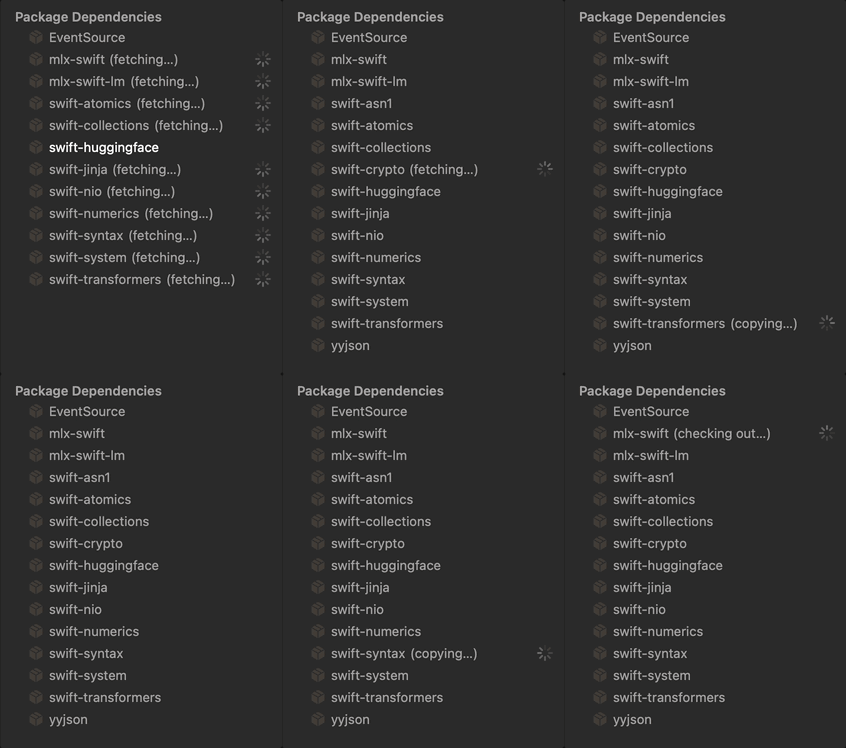
mlx-swift-lmprovides the model implementations and theMLXHuggingFaceintegration target with the macros.swift-huggingfaceis the downloader that pulls weights from the Hugging Face Hub and caches them locally.swift-transformersprovides the tokenizer.
The version of mlx-swift-lm is pinned to 3.31.3 exact. APIs in this package are still moving around, and pinning prevents a surprise breakage when you come back to the project next month.
Introducing the #huggingFaceLoadModelContainer macro
In 3.x, the canonical way to load a model looks like this:
let model = try await loadModelContainer(
    from: someDownloader,
    using: someTokenizerLoader,
    configuration: modelConfiguration
)
You're expected to pass in a concrete Downloader and TokenizerLoader. Writing those yourself is a lot of boilerplate.
The MLXHuggingFace target ships a macro called #huggingFaceLoadModelContainer that wires up the standard Hugging Face downloader and the standard swift-transformers tokenizer for you. It expands at compile time into the verbose call above. The result feels like the simple one-liner from mlx-swift-lm 2.x, but with the flexibility of the new architecture if you ever need to swap pieces out.
The chat loop
Create Sources/MLXSwift/MLXSwift.swift with this:
import Foundation
import MLXLLM
import MLXLMCommon
import MLXHuggingFace
import HuggingFace
import Tokenizers

@main
struct App {
    static func main() async throws {
        setbuf(stdout, nil)

        let model = try await #huggingFaceLoadModelContainer(
            configuration: ModelConfiguration(
                id: "sabeshbesh/qwen3.5-4b-mlx-4bit"
            )
        )

        let session = ChatSession(model)

        while true {
            print("> ", terminator: "")
            guard let line = readLine(), !line.isEmpty else { continue }
            if line.lowercased() == "quit" { break }

            for try await chunk in session.streamResponse(to: line) {
                print(chunk, terminator: "")
            }
            print()
        }
    }
}
A few things worth pointing out.
That setbuf(stdout, nil) line at the top is doing real work. Xcode buffers stdout when the program isn't attached to a terminal, which means streamed tokens sit in a buffer and only flush when the program exits. Disabling buffering makes tokens render the moment they're generated.
ChatSession wraps the model and handles KV cache reuse across turns. Without it, every prompt would reprocess the full conversation history from scratch. With it, only the new tokens get processed each turn.
streamResponse(to:) returns an AsyncThrowingStream of string chunks. Each chunk is a few characters at most. Printing them with terminator: "" is what creates the typewriter effect.
Picking a model
The model ID in ModelConfiguration maps directly to a Hugging Face repo. Browse the mlx-community org for officially converted MLX models, or use any pre-quantized MLX model on the Hub.
The example uses sabeshbesh/qwen3.5-4b-mlx-4bit, which is a 4-bit quantized Qwen3.5 4B model. A few reasons it's a good starting point:
- 4 billion parameters is enough to feel useful for general chat and code questions, while staying small enough to load fast.
- 4-bit quantization brings the on-disk size to roughly 2.5 GB and the runtime memory footprint to around 3 GB. Fits comfortably on any modern Mac.
- Qwen3.5 has solid instruction-following and works well with default sampler settings.
If you've already used mlx-lm from Python and have models cached at ~/.cache/huggingface/hub, the Swift hub client reads from the same path. No re-download. The cache is shared between the Python and Swift toolchains. And if you have a lot of trouble managing models stored across your system, then better install a tool like ModelHub to help organize all your models in a tiny menu bar app.
For larger models, search the Hub for variants like mlx-community/Qwen3-8B-Instruct-4bit or mlx-community/gemma-2-9b-it-4bit. Just swap the ID string and you're done.
Running it
Make sure the scheme selector at the top of Xcode shows MLXSwift. If it doesn't appear, go to Product → Scheme → Manage Schemes and check the box next to MLXSwift.
Hit Cmd+R.
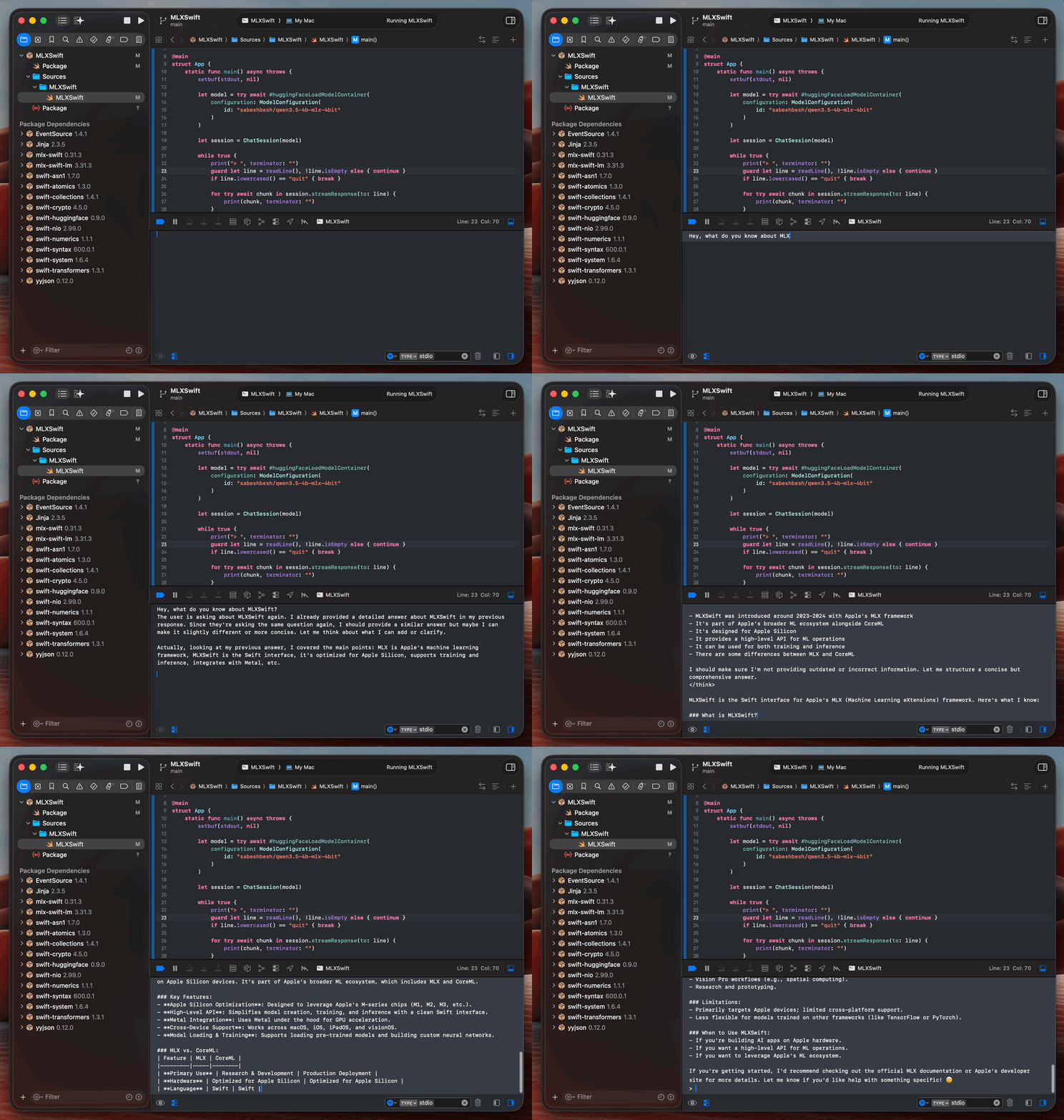
The first run will download the model weights, which takes a few minutes, depending on your connection. Subsequent runs load straight from cache, usually under 10 seconds for a 4B model. Once the prompt appears in the Xcode console, type something and hit enter. Tokens should start streaming back almost immediately.
Where to go from here
The same code works inside a real iOS or macOS app. Wrap the model loading in an ObservableObject or an actor, bind streamResponse output to a SwiftUI Text view, and you have a fully on-device chatbot. The mlx-swift-examples repo has reference implementations for this:
LLMBasicis a minimal SwiftUI chat app, the closest equivalent to the console example above.LLMEvaladds streaming statistics, preset prompts, and tool calling.MLXChatExampleis a fuller chat app that supports both LLMs and vision-language models.